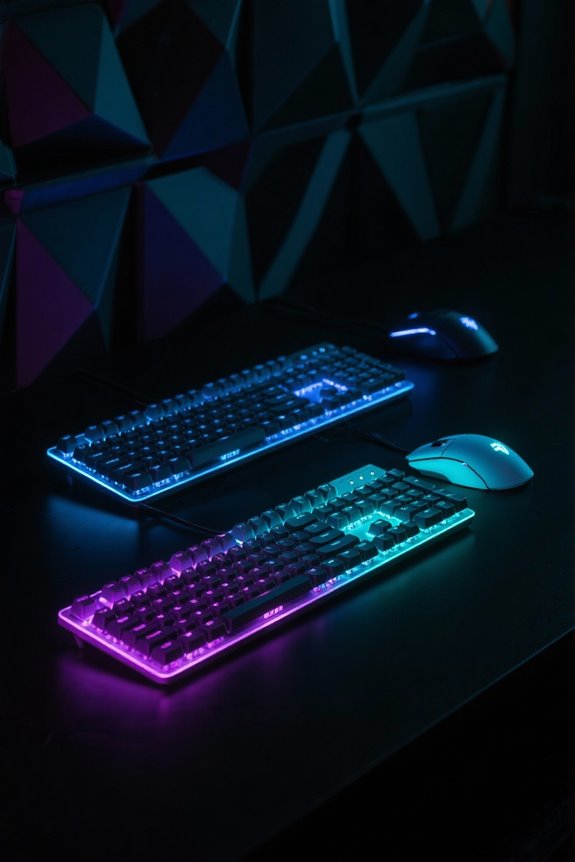
Keyboard layouts greatly impact desk space utilization. Full-size keyboards, measuring approximately 17 to 18 inches with 104 or 105 keys, occupy substantial room. In contrast, tenkeyless (TKL) models condense to 14 to 15 inches by removing the numpad, freeing up valuable workspace. Even more compact, 60% keyboards shrink to 11 to 12 inches, omitting the function row and numpad entirely. This shift toward smaller designs not only enhances workspace organization but also aligns with modern aesthetic preferences. Curious about the options? Keep exploring.
Key Takeaways
- Full-size keyboards take up more desk space, typically measuring 17 to 18 inches, which can clutter work areas.
- TKL keyboards, measuring around 14 to 15 inches, reduce desk space while maintaining essential functions for most users.
- 60% keyboards, at about 11 to 12 inches, maximize desk efficiency by eliminating both the number pad and function row.
- Compact keyboard layouts encourage better mouse positioning, facilitating seamless movement and enhancing overall workspace organization.
- Aesthetics improve with TKL and 60% keyboards, promoting a cleaner, more organized appearance that many office workers prefer.
Understanding Keyboard Layouts
In the world of computing, keyboard layouts play a vital role in user experience and workspace organization. Full-size keyboards, measuring about 17 to 18 inches, come equipped with 104 or 105 keys, including a number pad, making them the largest option available. In contrast, Tenkeyless (TKL) keyboards reduce the size to approximately 14 to 15 inches, omitting the number pad but retaining function keys and arrow keys. This compact layout enhances desk space and improves ergonomics, allowing for closer mouse placement. Meanwhile, 60% keyboards, measuring around 11 to 12 inches, provide an even more compact design by eliminating both the function row and number pad, maximizing portability. Each layout has distinct implications for comfort, organization, and accessibility in your workspace. Modern 60% keyboards often include hot-swappable switches that allow users to customize their typing experience without soldering.
Full-Size Keyboards: Features and Benefits

What makes full-size keyboards a favored choice among users who prioritize functionality? These keyboards typically consist of 104 keys, including a number pad and dedicated function rows that facilitate complex tasks. Measuring approximately 17 to 18 inches in width, they provide ample space for accurate key location, enhancing data entry efficiency. Particularly valued by office professionals handling spreadsheets or numeric data, their design supports various functionalities. Additional features, like macro and programmable function keys, add versatility, catering to both productivity and gaming needs. However, it’s crucial to take into account that a full-size keyboard may require more desk space, potentially pushing the mouse farther to the right, impacting ergonomics for some users. Models like the RK ROYAL KLUDGE S108 offer ergonomic support through detachable wrist rests while maintaining the full-size layout’s comprehensive functionality.
TKL Keyboards: Space-Saving Advantages

Space efficiency takes center stage with TKL keyboards, a popular choice among users aiming to optimize their work or gaming environments. By omitting the dedicated number pad, these keyboards create approximately 3 additional inches of desk space, enhancing mouse movement and promoting a more ergonomic setup. Their compact design retains essential features like the function row and arrow keys, making TKL keyboards well-suited for gamers and programmers alike. This layout facilitates better shoulder positioning, particularly for first-person shooter gamers, resulting in improved performance. Additionally, users can still enjoy customization options, such as unique keycap sets, allowing for personal expression without sacrificing space-saving advantages. TKL keyboards consequently provide a balanced blend of functionality and desk organization. Modern TKL models like the Logitech G515 feature double-shot PBT keycaps for enhanced durability and performance during extended gaming sessions.
60% Keyboards: The Minimalist Choice

While decluttering a workspace may seem a challenging task, opting for a minimalist keyboard layout can greatly ease this process. TKL keyboards, by removing the number pad, enhance desk space and allow for superior mouse movement, making them perfect for both gamers and daily users. Compact keyboards, such as 60% layouts, eliminate the function row and number pad, substantially enhancing portability while delivering a cleaner aesthetic. These designs promote better ergonomics by positioning the mouse closer, which reduces strain during long typing sessions. Choosing a streamlined keyboard layout not only contributes to a minimalist workspace but also facilitates improved desk organization, ensuring essential functions remain intact without unnecessary clutter. Ultimately, smaller keyboards drive efficiency and comfort in limited spaces. Modern wireless keyboards like the HP 230 Wireless Keyboard can provide up to 16 months of battery life, making them reliable choices for maintaining a clean, cord-free workspace.
How Keyboard Size Influences Desk Space

A cluttered desk can hinder productivity, making keyboard size a critical consideration for maximizing available workspace. Full-size keyboards typically span 17 to 18 inches, demanding considerable desk space, consequently limiting room for accessories. In contrast, TKL keyboards reduce width to approximately 14 to 15 inches, enhancing mouse positioning and promoting better ergonomics. The most compact option, 60% keyboards, ranges from 11 to 12 inches, providing even greater desk space while requiring users to adapt to DFN combinations for certain functions. By choosing a smaller keyboard, individuals can enjoy a more organized workspace, reducing the distance between the keyboard and mouse. Overall, the choice of keyboard size considerably impacts desk organization and ergonomics, influencing overall productivity and comfort. Similar to how ultrawide gaming monitors provide enhanced immersion through their curved designs, the right keyboard layout can significantly improve your overall desk setup and gaming experience.
Gaming Performance Across Different Sizes
How does keyboard size affect gaming performance? TKL keyboards enhance mouse movement space, allowing FPS players to maneuver more efficiently, ultimately improving precision. The absence of a numpad promotes a more ergonomic position, enabling longer gaming sessions with reduced fatigue. Conversely, a full-size keyboard excels in macro-heavy games due to direct access to multiple commands, which can streamline gameplay flow. However, smaller keyboards, like 60% layouts, are tailored for competitive gamers who prioritize rapid responsiveness, although they may require adapting to function layers for essential commands. This adjustment can impact gaming performance, especially in high-stakes situations. The choice between TKL, full-size, and smaller keyboards therefore directly correlates with gaming performance and individual player needs. Many gamers pair their keyboards with ergonomic gaming chairs to maintain proper posture and reduce physical strain during extended gaming sessions.
Functionality vs. Portability: Striking the Balance
Striking the right balance between functionality and portability in keyboard design is essential for users who navigate both gaming and professional domains. Tenkeyless (TKL) keyboards, which maintain essential function and navigation keys while omitting the numpad, exemplify this balance by freeing up desk space for improved ergonomics and mouse movement. In contrast, 60% keyboards offer a more compact layout but require users to adapt to secondary functions, which can momentarily disrupt the typing experience. Full-size keyboards, while maximally functional, occupy significant space, potentially hindering navigation. For those seeking versatility, 75% keyboards emerge as a compelling option; these retain necessary keys within a reduced footprint, effectively harmonizing functionality and portability without sacrificing usability. Modern keyboards featuring hot-swap capabilities allow users to customize their typing experience while maintaining their preferred layout configuration.
Ergonomics and User Comfort
Ergonomics plays a pivotal role in enhancing user comfort during extended keyboard use, especially for gamers and professionals alike. TKL (Tenkeyless) keyboards greatly improve ergonomics by positioning the mouse closer to the user, thereby reducing shoulder strain. In contrast, full-size keyboards often force users to extend their arms, leading to poor posture. Compact layouts like 60% encourage natural hand positioning, promoting better wrist alignment and overall comfort. The absence of a numpad in these smaller keyboards increases usable desk space, facilitating ideal mouse movement—crucial for both gaming and productivity. While initial adjustment to a 60% keyboard may affect typing speed, the long-term benefits of wrist rest and improved positioning can lead to a more comfortable and efficient experience. Users seeking optimal wrist health should consider that a 57-degree angle design promotes natural positioning and reduces muscle strain during extended sessions.
Visual Aesthetics of Keyboard Layouts
An increasingly popular choice among keyboard enthusiasts, Tenkeyless (TKL) keyboards offer a visually appealing and streamlined design that contributes considerably to the aesthetics of a workspace. By omitting the numpad, TKL keyboards achieve a minimalist look that saves desk space while enhancing overall visual aesthetics. The compact designs of TKL and 60% keyboards further promote a clean, uncluttered appearance, appealing to those who value simplicity and portability. In contrast, full-size keyboards can disrupt the visual harmony with their bulkier designs, occupying more desk space. Additionally, custom keycap sets, like the Awekeys Full Metal Keycaps, allow users to create personalized aesthetics that reflect individual style, elevating the visual appeal of their keyboards and workspaces. Incorporating cable management solutions beneath the desk helps maintain a clean aesthetic by eliminating visible wire clutter that could detract from the keyboard’s visual appeal.
Numpad Necessity: Evaluating Your Needs
While some users may find themselves effortlessly maneuvering through spreadsheets and crunching numbers without a numpad, the necessity of this component becomes clear when considering the specific tasks at hand. For those engaged in data entry, a full-size keyboard with a numpad provides quick access to numerical input, enhancing efficiency. In contrast, tenkeyless keyboards eliminate the numpad, saving desk space but can hinder quick calculations. Compact keyboards, such as 60% layouts, forgo the numpad entirely, ideal for minimal setups but may require users to learn alternate key combinations. Utilizing a standalone numpad can alleviate this issue, combining the benefits of a compact layout while still offering necessary numerical access. Ultimately, evaluating numpad necessity hinges on an individual’s unique workflow needs. Modern options like the Logitech G PRO X demonstrate how ultra-compact 60% layouts can maximize desk space while maintaining professional-grade functionality.
The Rise of Compact Keyboards in Workspaces
Recent data indicates that over 60% of office workers now prefer compact keyboards, reflecting a significant shift towards more efficient workspace organization. The rise of TKL and 60% keyboards is driven by the need for enhanced desk space, as these compact layouts free up room for mouse movement and additional peripherals. TKL models reduce the physical footprint by omitting the numpad, which improves ergonomics by allowing closer positioning of the mouse. Meanwhile, 60% keyboards, the most compact option, completely eliminate the function row and numpad, appealing to minimalists and those with limited desk space. This trend also aligns with employees’ preferences for aesthetically pleasing, organized work environments that foster focus and productivity. Enhanced typing efficiency also contributes to this growing preference.
Exploring 75% and 65% Keyboard Options
As the trend towards compact keyboards continues to grow, options like the 75% and 65% layouts are becoming increasingly popular among users seeking a blend of functionality and space-saving design. The 75% keyboards, offering a condensed layout with essential functions and often a volume knob, cater especially to gamers and those with limited desk space. In contrast, the 65% keyboard features the alphanumeric section and dedicated arrow keys, omitting the function row for a size of roughly 12 inches. This striking balance between compactness and functionality provides significant desk space savings, enhancing mouse movement and maintaining productivity. While users may need to adapt to using the FN key for some functions, these compact designs remain favored for their practicality and aesthetic appeal.
Key Layouts and Their Impact on Typing Efficiency
When considering the impact of key layouts on typing efficiency, understanding the nuances of each design can considerably inform user choice. A TKL (Tenkeyless) keyboard, by omitting the numpad, enhances desk space by about 3 inches, improving mouse movement for tasks like FPS gaming. In contrast, a 60% keyboard excludes the function row and most navigation keys, achieving maximum portability and a minimalist workspace. While the full-size keyboard provides easy access to all keys, its larger footprint can compromise ergonomics. Compact layouts, such as 65%, maintain essential keys and promote an organized desk, ultimately enhancing typing efficiency. Choosing the right layout can considerably influence productivity and comfort during extensive use.
Evaluating Personal Needs for Optimal Choice
Choosing the right keyboard layout requires a thoughtful examination of individual needs and preferences, especially since each design offers unique features that can greatly impact user experience. The TKL layout, for instance, offers practical ergonomics, saving approximately 3 inches of desk space compared to a full-size keyboard, making it ideal for users needing enhanced mouse movement. Conversely, a 60% keyboard is the most compact option, favored for minimal setups, although it necessitates adapting to function shortcuts, which some may find inconvenient. Full-size keyboards accommodate users engaged in data entry, providing essential functionality with immediate numpad access. Ultimately, evaluating personal typing needs is vital to finding the best balance between ergonomics and functionality in any workspace.
Frequently Asked Questions
What Are the Downsides of a 60% Keyboard?
Maneuvering a 60% keyboard is akin to exploring a compact maze. Users face limited key functionality, missing dedicated keys, potential typing strain, a steep learning curve adjustment, compatibility issues, macro access limitations, and a reduced number pad.
Is TKL Better Than Full-Size Ergonomics?
TKL designs often provide significant ergonomics advantages over full-size keyboards, enhancing typing comfort and reducing wrist strain through improved key placement and space efficiency, showcasing user preference while potentially delivering a productivity boost for many users.
What Are the Cons of TKL Keyboards?
Despite their compactness, TKL keyboards present keybinding limitations and typing comfort concerns. The absence of a numpad, customization challenges, wireless connectivity issues, and potential gaming performance drops may hinder users seeking both size and portability.
What Are the Disadvantages of a 65% Keyboard?
A 65% keyboard presents key mapping limitations, impacting typing experience variation, and may compromise ergonomic considerations due to tighter spacing. While compact keyboard benefits enhance portability, gaming performance impact can hinder efficiency for complex tasks.