Cherry MX, Gateron, and Optical switches each deliver distinct experiences. Cherry MX switches last up to 100 million keystrokes but tend to be pricier. Gateron switches, typically 30-50% cheaper, offer a smoother feel and optional silent variants. Optical switches enhance responsiveness with low debounce times and also last up to 100 million keystrokes. The choice depends on noise preferences, typing feel, and budget considerations. Don’t get me wrong; there’s much more to explore about their unique features.
Key Takeaways
- Cherry MX switches are known for durability, offering up to 100 million keystrokes, while Gateron switches provide a smoother, more budget-friendly typing experience.
- Mechanical switches like Cherry MX and Gateron offer tactile feedback (e.g., Brown, Blue), enhancing typing satisfaction and overall comfort during use.
- Optical switches utilize light-based actuation for faster response times and quieter operation, making them ideal for both gaming and typing scenarios.
- Price-wise, Gateron switches are generally 30-50% cheaper than Cherry MX, allowing for affordable customization options without sacrificing quality.
- Compatibility varies; Cherry MX and Gateron switches are designed for standard PCBs, while optical switches require specialized PCBs for their actuation mechanism.
Understanding Mechanical Keyboard Switches
Mechanical keyboard switches are the heart of any keyboard enthusiast’s setup, with each type offering distinct tactile feedback that can considerably affect both gaming and typing experiences. Mechanical switches can be categorized into linear, tactile, and clicky types, with Cherry MX and Gateron being popular choices. Cherry MX switches boast a durability of 100 million keystrokes, while Gateron switches, known for their smoothness, are rated for 50 million. Optical switches provide a quicker response using light for actuation, extending lifespan up to 100 million keystrokes. User preferences for tactile feedback, actuation force, and noise levels are pivotal in selecting an ideal switch that complements one’s typing experience, whether for intense gaming or leisurely typing. Modern keyboards like the CORSAIR K70 RGB PRO feature CHERRY MX Red switches for ultra-responsive gaming performance with an impressive 8000Hz polling rate.
Overview of Cherry MX Switches
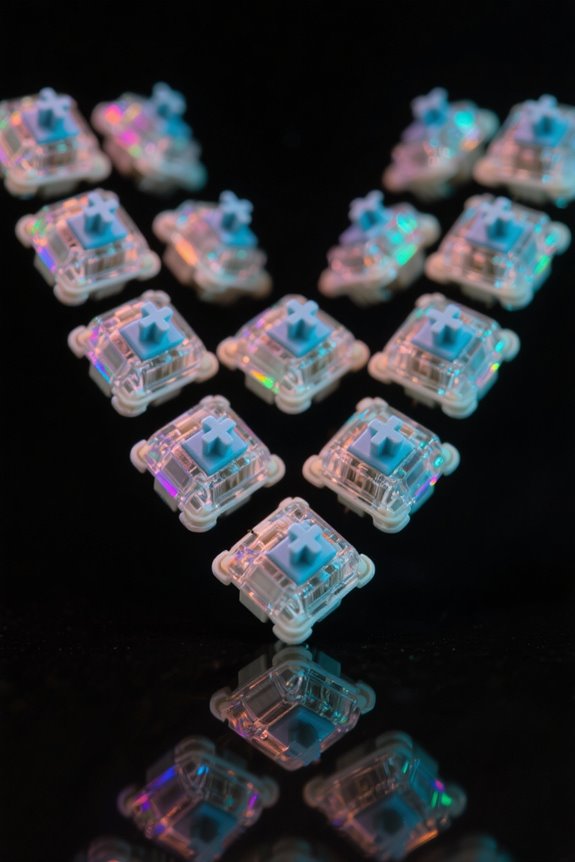
Cherry MX switches stand as a pivotal choice in the mechanical keyboard market, known for their blend of reliability and durability. These switches boast a lifespan of up to 100 million keystrokes, making them particularly appealing to keyboard enthusiasts. Available in various types, including tactile Brown, clicky Blue, and linear Red and Black, each Cherry MX switch offers distinct feedback and actuation characteristics. Remarkably, Cherry MX Blue switches are favored for typing due to their audible click and tactile bump, though they may slow down gaming performance. On the other hand, Red switches excel in gaming environments, facilitating rapid key presses with minimal resistance. The high-quality construction of Cherry MX switches has established them as a benchmark in the mechanical keyboards industry. Much like the noise cancellation technology found in modern gaming microphones, Cherry MX switches can be optimized for different use cases and preferences.
Overview of Gateron Switches
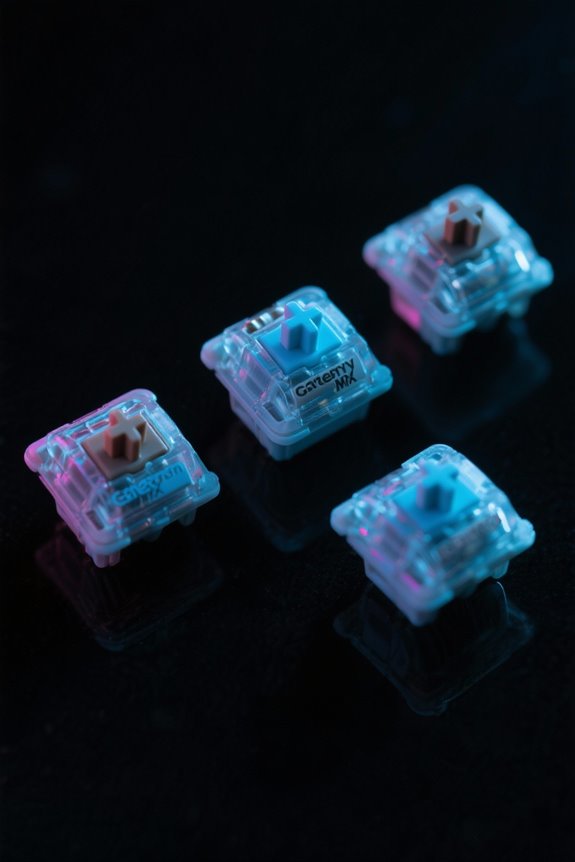
Gateron switches present an attractive alternative in the domain of mechanical keyboards, appealing to both enthusiasts and newcomers alike due to their smoothness and affordability. Renowned for their superior typing experience, Gateron mechanical switches come in various types including Red, Brown, Blue, Black, and specialized silent switches. The Red switches provide a linear feel with an actuation force of 45±15 gf, while the Brown switches offer tactile feedback at 55±15 gf. If you prefer audible cues, Blue switches deliver an audible click with a force of 60±15 gf. For those seeking quiet operation, models like the Silent Red and Silent Brown minimize noise without compromising actuation characteristics. Gateron’s customizable options make them suitable for both gamers and casual typists. Unlike Cherry MX keyboards that offer 50 million keystrokes of durability, Gateron switches typically provide slightly lower but still impressive longevity ratings.
Overview of Optical Switches
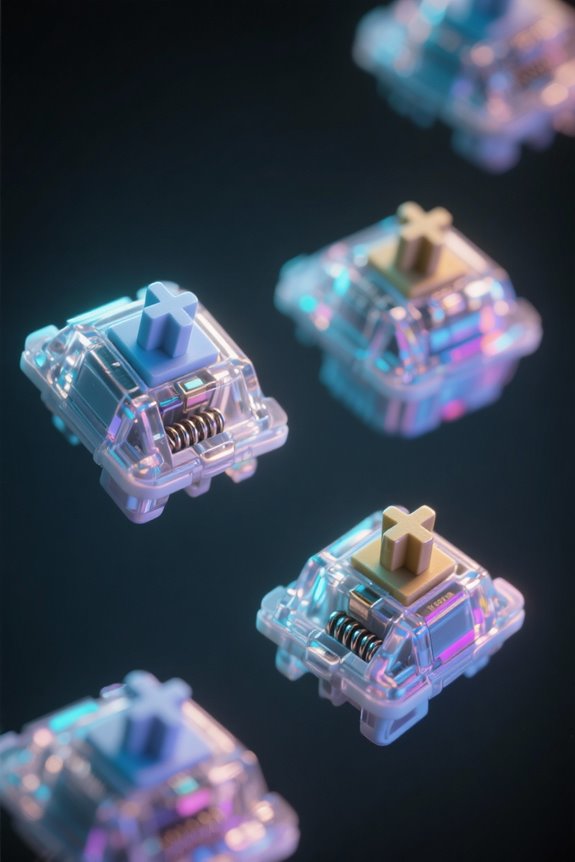
An innovative approach to keyboard technology, optical switches utilize light signals for actuation, resulting in rapid response times that can greatly enhance your typing experience. These switches can endure an impressive lifespan of around 100 million keystrokes, considerably surpassing the durability of many mechanical options. Gateron Optical Switch models, such as the Optical Red and Optical Blue, cater to diverse typing preferences, with actuation forces of 45g for Red and 55g for Blue. Additionally, optical switches are renowned for their waterproof and dustproof capabilities, ensuring reliability across various environments. This combination of speed, durability, and environmental resistance makes optical switches an appealing choice for enthusiasts and gamers alike— don’t get me wrong, you might just find your new favorite key switch in this category! Much like fast refresh rates between 120Hz to 200Hz enhance gaming responsiveness, optical switches provide swift actuation that can improve your overall performance.
Key Differences Between Switch Types
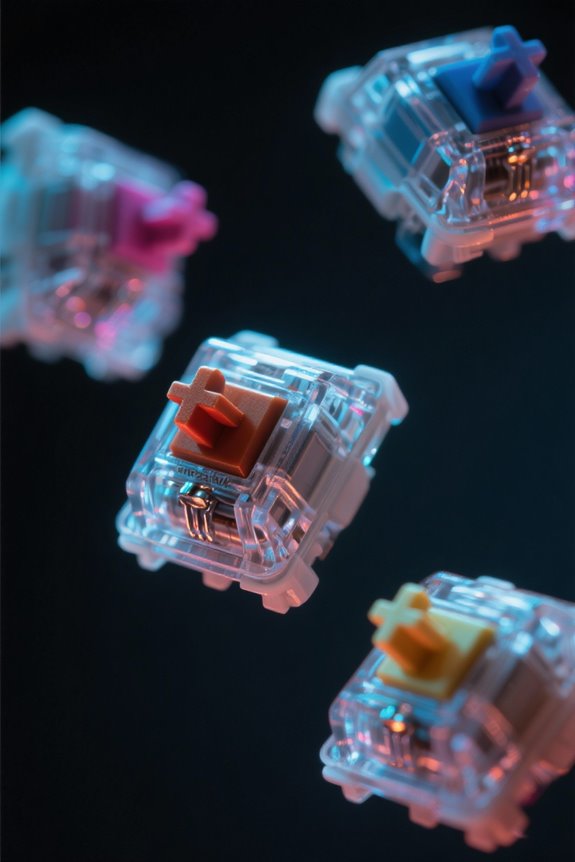
When evaluating the key differences between switch types, one can see that the choice greatly influences both typing experience and performance. Cherry MX switches offer up to 100 million keystrokes, exhibiting high reliability, while Gateron switches provide a smoother typing experience with a lifespan of around 50 million keystrokes. Linear switches like Cherry MX Red require a lighter actuation force of 45g, making them preferable for gaming, whereas tactile switches such as Gateron Brown provide subtle feedback. Clicky switches, like Cherry MX Blue, deliver both tactile feedback and an audible click, enhancing typing satisfaction but may disrupt quieter environments. Optical switches, utilizing light for actuation, boast fast response times and durability similar to Cherry MX, rated for 100 million keystrokes. Similar to high-end gaming headsets, some keyboards feature PRO-G drivers for enhanced audio feedback during intensive gaming sessions.
Tactile Feedback: What to Expect
Tactile feedback considerably enhances the overall typing experience, providing users with a clear indication of actuation without the distraction of loud clicks. Tactile switches, such as Cherry MX Brown and Gateron Brown, offer a discernible bump during actuation, facilitating a responsive feel. These switches require an actuation force of about 55g, making them approachable for various typing styles. While Gateron Blue switches include auditory cues for those who enjoy an audible click, the Gateron Optical Brown provides a blend of tactile feedback with diminished noise levels, fitting quieter environments. Users opting for tactile switches can expect a reliable performance that smoothens the typing experience, ensuring accuracy without overwhelming sound—a compelling choice for any typing enthusiast. Similar to how 240Hz refresh rates provide fluid motion in gaming, tactile switches deliver smooth, precise feedback for enhanced control during typing sessions.
Actuation Force Comparison
Selectively choosing the right actuation force can considerably impact one’s typing or gaming experience, as individual preferences and use cases can vary widely. Cherry switches typically present a range of actuation forces—45g for Red switches, 55g for Brown and Blue switches, and 60g for Black switches. Gateron switches mirror this variety, with Red at 45±15g, Brown at 55±15g, and Blue at 60±15g, including Silent variants within those weights. Optical switches tend to provide more consistency; for instance, Gateron Optical Red and Brown switches are rated at 45g, while Optical Black requires a firmer 60g actuation force. This variability in actuation forces empowers users to select mechanical switches tailored to their unique typing or gaming preferences. Similar to how ergonomic design elements help reduce muscle strain during extended gaming sessions, choosing the right actuation force can minimize finger fatigue and improve overall comfort.
Noise Levels of Different Switches
Noise levels greatly influence the choice of mechanical switches, especially for users in shared environments or those who prefer a quieter workspace. Cherry MX Blue switches are notorious for their loud clicky sound, attributed to their tactile bump, making them less suitable for such settings. Similarly, Gateron Blue switches produce a comparable auditory feedback that typists often crave but can disturb nearby colleagues. In contrast, Gateron Brown switches maintain a moderate noise level, blending tactile feedback with versatility. Optical switches, like Gateron Optical Red, are quieter, emphasizing smooth keystrokes. For those seeking an even more discreet option, silent variants such as Gateron Silent Red greatly reduce noise levels while preserving performance, making them ideal for workplaces where silence is golden. Much like how blue light glasses help reduce eye strain during long gaming sessions, choosing the right switch noise level can significantly impact user comfort and focus during extended keyboard use.
Gaming Performance: Which Switch Is Best?
What factors determine the best gaming switch for performance? Cherry MX Red and Gateron Red switches excel in gaming due to their linear design, both requiring 45g of actuation force. This feature facilitates rapid key presses without tactile feedback hindrance, enhancing responsiveness. Optical switches, like Gateron Optical Red, offer additional advantages with lower debounce times, thanks to their light-based actuation, further improving gaming performance. For competitive edge, Cherry MX Speed Silver switches are remarkable; their shorter 1.2mm actuation distance makes them among the fastest available. If tactile feedback is desired, Gateron Brown switches strike a balance with a 55g actuation force, although they’re less favored for pure speed. Ultimately, choose based on your gaming needs and preferences. Modern gaming monitors with high refresh rates up to 240Hz complement these switches by ensuring every keystroke translates to smooth, responsive gameplay.
Typing Experience: Preference and Comfort
The typing experience greatly influences users’ overall satisfaction and productivity, with various switch types catering to specific preferences. Cherry MX Brown switches provide a satisfying tactile feel, ideal for those balancing typing and gaming, whereas Gateron Brown switches offer a smoother typing experience, enhancing comfort during extended use. Users who prioritize quieter operation may find optical switches appealing, as they employ a light-based mechanism for rapid actuation and minimal audible sound. The actuation force varies too; Cherry MX switches range from 45g in the Red model to 60g in the Black, while Gateron’s lighter 50g Yellow switch accommodates different comfort levels. For those who enjoy auditory feedback, Cherry MX Blue or Gateron Blue switches deliver a gratifying click, enriching the typing experience. Similar to ergonomic vertical mice, these switches are designed to reduce muscle strain during prolonged typing sessions, making them ideal for both gaming and professional use.
Price Comparison of Switch Options
Switches come in a variety of price points, impacting consumers’ choices based on their budget and desired features. Cherry MX switches are typically the most expensive, known for their reliability in high-end mechanical keyboards. In contrast, Gateron switches are budget-friendly, offering prices that are 30-50% lower than Cherry MX models, making them appealing for consumers watching their wallets. Optical switches, while initially pricier, boast remarkable durability, lasting up to 100 million keystrokes, which can justify the investment over time. Custom options, such as Gateron’s specialized series, may vary in price but often remain competitive. Ultimately, the decision hinges on balancing price against features, including customization options and the switch’s intended use, like gaming or typing.
Customization and Modding Potential
Customization in the domain of mechanical keyboards presents a vast playground for enthusiasts enthusiastic to enhance their typing experience. Cherry MX switches provide extensive options with tactile, clicky, and linear varieties, allowing tailored feedback. Gateron switches offer a smooth feel and a diverse range, including silent and optical versions, perfect for various typing styles. For those seeking ease of modification, many mechanical keyboards feature hot-swappable designs; this enables users to switch Cherry MX or Gateron switches without soldering, amplifying their modding potential. While optical switches are typically less customizable regarding feel, they allow for actuation point adjustments, appealing to speed-focused users. Users can also enhance switches through lubing or spring swapping, leveraging a community rich with guides.
Compatibility With Keyboards
When starting on the journey of selecting mechanical switches for keyboards, understanding compatibility is key. Cherry MX switches typically feature a 3-pin design and are designed to work with standard mechanical PCBs. In contrast, Gateron switches come in both 3-pin and 5-pin configurations, offering enhanced compatibility with various builds. Optical switches, however, require specially designed PCBs for optical actuation, rendering them incompatible with traditional mechanical setups. Hot-swappable keyboards allow easy switch interchangeability for Cherry MX or Gateron types, but only certain optical switch keyboards support this feature. Consequently, verifying compatibility with the desired switch type and PCB design is crucial to confirm not just function but ideal performance across different keyboard configurations.
Longevity and Durability of Switches
Longevity and durability stand as critical considerations when choosing mechanical switches for keyboards. Cherry MX switches are rated for an astounding 100 million keystrokes, making them a steadfast option for heavy users. In contrast, Gateron switches, while decent, offer a lifespan of approximately 50 million keystrokes, which is commendable yet shorter than their Cherry counterparts. Optical switches shine in this arena due to their unique design, also providing a lifespan of up to 100 million keystrokes; they utilize light for actuation, greatly reducing wear on components. Additionally, optical switches often feature improved resistance to dust and moisture, enhancing their overall durability compared to traditional mechanical switches like Cherry MX and Gateron. Consequently, your choice must align with usage expectations.
Final Thoughts on Choosing the Right Switch
Choosing the right switch for a keyboard necessitates a thoughtful examination of various factors beyond just longevity and durability. Cherry MX, Gateron, and Optical switches each offer unique characteristics tailored to different user preferences. For instance, Cherry MX Brown and Gateron Brown, with an actuation force of about 55g, provide tactile feedback ideal for both typing and gaming. In contrast, Optical switches present a quieter alternative, maintaining similar tactile feedback with less noise. The sound profile should not be overlooked, especially in shared spaces. Gateron offers a cost-effective solution while retaining smoothness, whereas Cherry MX’s durability stands out. Ultimately, keyboard enthusiasts must balance these aspects—actuation force, sound, and tactile feel—when selecting their ideal switch for peak performance.
Frequently Asked Questions
Is Cherry MX Better Than Gateron?
Cherry MX generally offers superior performance and durability, boasting a longer switch lifespan. However, user reviews highlight Gateron’s smooth key feel and competitive pricing differences, leading to varying brand preferences among mechanical keyboard enthusiasts.
Who Makes the Best Tactile Switches?
In an age of steam-powered typing, the best tactile switches depend on user preferences. Tactile switch comparisons reveal durability differences, sound profile analyses, actuation force variations, key feel preferences, and valuable brand reliability insights in mechanical switch history.
Do Pro Gamers Use Optical Switches?
Pro gamers primarily favor mechanical switches due to their established tactile feedback and reliability, despite optical switch advantages like faster actuation speed. Optical switches’ minority use reflects pro gamer preferences for proven gaming performance metrics in competitive gaming gear.
Should I Get Clicky or Tactile Switches?
Amid a symphony of keys, the choice between clicky and tactile switches hinges on sound preference and gaming experience. Ultimately, personal preference guides users toward their desired blend of typing comfort and switch durability within brand reputation.