


USB-C, Micro USB, and Lightning connectors each have unique strengths. USB-C supports up to 40 Gbps data transfer and 240W power delivery, making it ideal for high-powered devices. In comparison, Micro USB maxes out at 480 Mbps and 2.0A, while Lightning offers 480 Mbps and 12W. USB-C’s reversible design enhances durability, unlike Micro USB’s prone-to-fray connectors. Each connector’s compatibility varies, affecting device interoperability. Continue to explore how these differences may impact your device choices.
Key Takeaways
- USB-C supports up to 40 Gbps data transfer and 240W power delivery, while Micro USB and Lightning are limited to 480 Mbps and lower power delivery.
- USB-C’s versatility allows compatibility with a wide range of devices, compared to Lightning’s exclusivity to Apple products and Micro USB’s declining usage.
- USB-C cables feature a robust design and a reversible connector, enhancing durability compared to Micro USB’s vulnerability to fraying.
- Lightning connectors support a maximum power delivery of 12W, significantly less than USB-C, which can deliver up to 240W for high-powered devices.
- Transitioning to USB-C improves overall device compatibility for both charging and data transfer, making it the preferred choice for modern electronics.
Overview of Connector Standards
Connector standards play an essential role in the growing ecosystem of portable devices, influencing how users interact with their technology. Among these standards, USB-C stands out with its 24-pin design, facilitating a remarkable maximum data transfer rate of up to 40 Gbps and power delivery capabilities reaching 240W. In contrast, Micro USB, primarily serving older Android devices, offers only 480 Mbps and typically lower power delivery. Meanwhile, Lightning connectors, exclusive to Apple devices, have an 8-pin design supporting similar 480 Mbps data transfer, but they require MFi certification for third-party accessories. Significantly, both USB-C and Lightning feature a reversible plug, unlike Micro USB, which necessitates correct orientation, making USB-C the preferred choice for modern, versatile charging cables and data transfer solutions. When integrating these connectors into home audio setups, users should consider that acoustic diffuser panels can help optimize sound quality regardless of the connection type being used for audio transmission.
Comparison of Data Transfer Rates

While users may appreciate the convenience of fast charging and seamless data transfer, the differences in data transfer rates among various connector standards can impact their overall experience. USB-C defines a new threshold, supporting maximum transfer speeds of up to 40 Gbps with the USB4 standard. In contrast, both Micro-USB and Lightning cables are capped at 480 Mbps, akin to USB 2.0 speeds. This variance is significant, especially for high-speed data transfer needs among Android devices and Apple products. Remarkably, USB-C’s compatibility with diverse protocols enhances its versatility, making it suitable for a broader range of applications. Ultimately, for anyone valuing faster data rates, USB-C stands out as the superior choice in the evolving landscape of USB standards. Modern USB-C hubs like the Acodot 9-in-1 maximize connectivity with 4K HDMI output capabilities while maintaining efficient data transfer speeds up to 5Gbps.
Charging Capabilities: Power Delivery and Speed
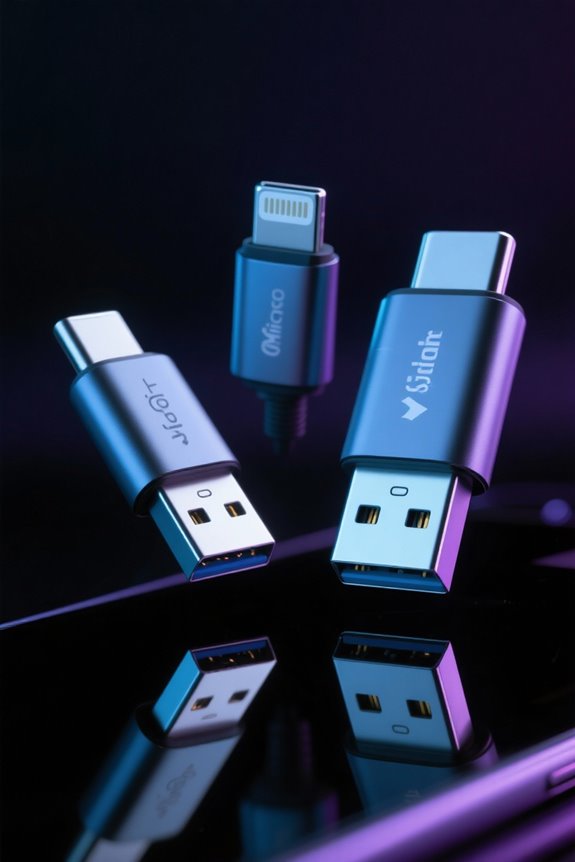
Charging capabilities play an essential role in the choice of connector standards, influencing a device’s overall performance and usability. USB-C stands out with its power delivery capability, supporting up to 240W at a maximum current of 5A, making it ideal for high-powered devices like laptops. In contrast, the Lightning connector, exclusive to Apple, supports only 12W at 2.4A, which simply doesn’t compete. Although Micro USB can handle a maximum of 2.0A, its lower efficiency for fast charging reduces its appeal. Additionally, USB-C excels in data transfer speeds, reaching up to 40Gbps with USB4 standards, far surpassing Lightning’s 480Mbps. As technology advances, USB-C’s superior charging capabilities solidify its dominance over Micro USB and Lightning. Modern fast charging cables can achieve up to 80% power in just 30 minutes when paired with compatible USB-C devices.
Device Compatibility Across Platforms
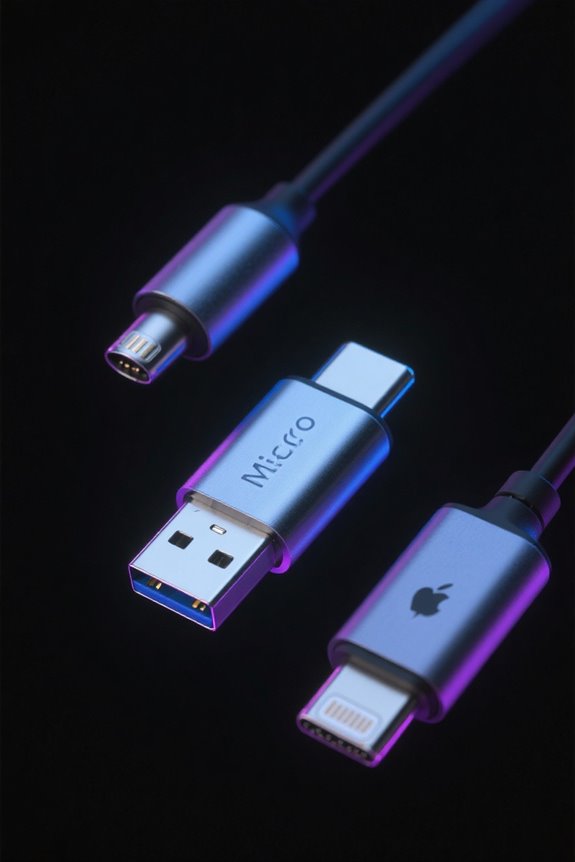
In an era where device compatibility can make or break user experience, USB-C emerges as the clear frontrunner across various platforms due to its widespread adoption and versatility. This universal connector is compatible with a range of devices, including Android smartphones and Windows PCs, while also supporting select Apple products. In contrast, Lightning connectors are exclusive to Apple devices, which limits their compatibility primarily to iPhones and iPads, excluding only the 9th generation. Meanwhile, Micro-USB, once a standard for many older electronics, has largely been phased out in favor of USB-C, offering less flexibility. Shifting to USB-C means users will enjoy improved device compatibility for both charging and data transfer across new devices on the current USB standard. Modern gaming monitors like the ASUS TUF and Sceptre models now commonly include DisplayPort and HDMI inputs to ensure broad compatibility with various gaming systems and computers.
Durability and Longevity of Cables

When evaluating the durability and longevity of cables, Type-C emerges as a robust option that can often withstand the rigors of daily use more effectively than its predecessors. USB-C cables feature a sturdy design and a reversible connector, which minimizes wear from frequent plugging and unplugging. In contrast, Micro USB cables are particularly vulnerable, often suffering from frayed connectors due to improper unplugging. Although Lightning cables are less likely to damage the socket, they can accumulate dirt on exposed pins, affecting longevity and performance. Ultimately, the durability of any connector standard hinges on the quality of the cable; investing in high-quality options can greatly enhance the overall lifespan and functionality of your cables, regardless of the type. Similar to modern gold-plated connectors in ethernet cables, premium USB cables often incorporate corrosion-resistant materials to ensure long-term reliability.
Frequently Asked Questions
What Are the Four Types of USB Connectors?
The four types of USB connectors include USB Type A, USB Type B, Micro USB variants, and USB Type-C. USB C advantages include higher data transfer rates and compatibility with various USB OTG peripherals and cable lengths.
Is an Apple Lightning Connector the Same as a USB-C?
The Apple Lightning connector differs from USB-C, which boasts industry-leading data transfer speeds up to 40 Gbps. USB-C advantages include broader device compatibility, higher charging speeds, and greater accessory availability, catering to evolving user preferences and future technologies.
Is a USB-C the Same as a Micro USB?
USB-C is not the same as Micro USB; it offers significant advantages in speed, charging efficiency, and durability. While Micro USB faces limitations in compatibility and design, USB-C supports evolving standards and enhances overall user experience.
Why Are Lightning Cables Being Banned?
Lightning cables are being banned due to regulatory changes promoting standardization efforts for consumer convenience. This shift enhances charging efficiency, device compatibility, reduces environmental impact, supports an innovation drive, and fosters market competition in response to user preferences and industry reactions.


