


DisplayPort and HDMI serve distinct roles in gaming. DisplayPort 1.4 supports 4K at 144 Hz, ideal for high-performance PCs, while HDMI 2.1 allows 4K at 120 Hz, vital for next-gen consoles like PS5 and Xbox Series X. DisplayPort excels in VRR and daisy-chaining displays, whereas HDMI offers superior audio pass-through capabilities with eARC. Don’t get me wrong; both connectors have their strengths. Interested in understanding more about the specific benefits and limitations of each?
Key Takeaways
- DisplayPort 1.4 supports 4K at 144 Hz, ideal for high-performance PC gaming, while HDMI 2.1 supports 4K at 120 Hz.
- DisplayPort 2.1 enhances gaming with 8K at 120 Hz, whereas HDMI 2.1 supports 8K at 60 Hz.
- HDMI 2.1 is essential for next-gen consoles, enabling higher resolutions and refresh rates compared to older HDMI versions.
- DisplayPort excels in adaptive sync technology, reducing screen tearing and providing smoother gameplay, particularly in PC gaming.
- HDMI offers better audio pass-through capabilities, making it suitable for home theater setups while maintaining high refresh rates for gaming.
The Major Display Connection Types
In the domain of modern gaming, display connections play an essential role in delivering immersive experiences. HDMI, particularly version 2.1, supports high resolutions of 8K at 60 Hz and 4K at 120 Hz with a bandwidth of 48 Gbps, making it a solid choice for next-gen gaming consoles. Conversely, DisplayPort 2.1 excels by offering a remarkable 80 Gbps bandwidth, accommodating 8K at 120 Hz and 4K at 240 Hz, perfect for high-refresh-rate gaming. For those utilizing modern graphics cards, DisplayPort’s Adaptive Sync features cater to Variable Refresh Rate, enhancing visual fluidity. While HDMI is prevalent in consumer electronics, gamers often prefer DisplayPort for its multi-monitor capabilities and superior performance in high-demand scenarios. Don’t get me wrong; both connections have their merits, yet performance is vital. The latest USB-C to DisplayPort adapters support impressive 8K@60Hz resolution while maintaining compatibility with Thunderbolt devices, offering flexible connectivity options for gaming setups.
DisplayPort vs. HDMI: Specs and Resolutions
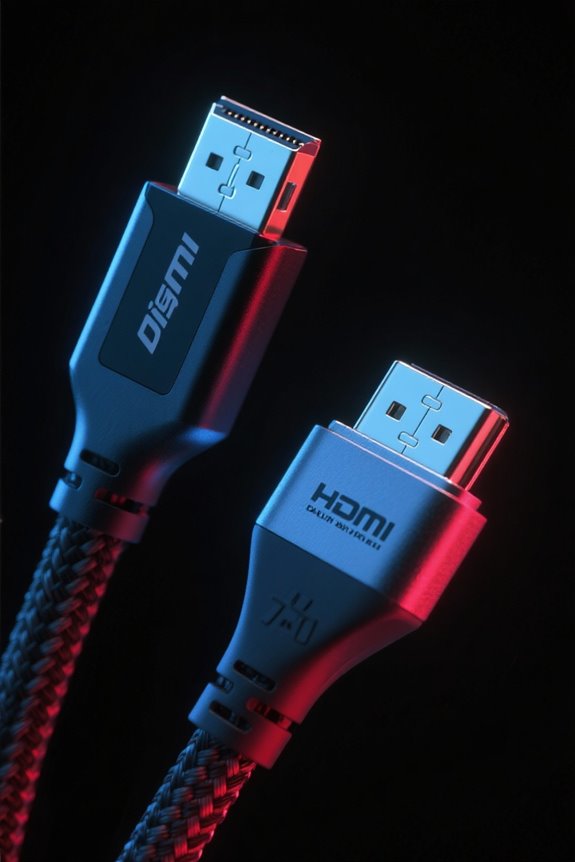
While evaluating the ideal display connection for gaming, one must consider the specifications and resolutions provided by both DisplayPort and HDMI. DisplayPort 1.4 supports 4K resolution at 144 Hz with a bandwidth of 32.4 Gbps, which caters well to high refresh rates essential for competitive gaming. In contrast, HDMI 2.1 permits 4K at 120 Hz, driven by a greater bandwidth of 48 Gbps, suitable for next-gen consoles. Significantly, DisplayPort excels in supporting Variable Refresh Rate (VRR) technology, including NVIDIA G-Sync, enhancing smooth gameplay on compatible gaming monitors. HDMI 2.0, however, limits 4K to 60 Hz, making it less favorable for gamers demanding higher frame rates. Consequently, DisplayPort generally outperforms HDMI in specifications for PC gaming. Modern gaming monitors like the ASUS VG259Q3A demonstrate the importance of multiple input options, offering both DisplayPort and HDMI connections for maximum compatibility.
Bandwidth Requirements for Gaming

Choosing the right display connection for gaming not only involves understanding the specifications but also the bandwidth requirements critical to delivering a seamless experience. For 4K resolution at 60 Hz, a standard 8-bit color depth demands approximately 12.54 Gbps, escalating to 15.68 Gbps when leveraging 10-bit depth. DisplayPort 1.4 excels with support for 4K at 144 Hz, boasting a maximum bandwidth of 25.92 Gbps, making it suitable for high-refresh-rate gaming. Conversely, HDMI 2.1 enhances your gaming experience with a whopping 48 Gbps, accommodating impressive frame rates like 4K at 120 Hz, perfect for next-gen consoles. Technologies like Display Stream Compression further optimize video data transmission, ensuring that higher resolutions and refresh rates are achievable without compromising performance. Modern DisplayPort 2.1 cables have pushed the boundaries even further, offering support for ultra-high 16K resolution with enhanced durability and ergonomic design features.
DisplayPort: The PC Choice
DisplayPort stands as the undisputed champion among display connections for PC gamers, offering a range of features tailored to meet the rigorous demands of high-performance gaming. With DisplayPort 1.4, users can enjoy 4K resolution at a remarkable 144 Hz, ensuring an outstanding maximum refresh rate for gaming setups. DisplayPort 2.1 extends this capability, enabling 8K resolution at 60 Hz or 4K at a staggering 240 Hz, all due to its high bandwidth of up to 80 Gbps. In addition, the inclusion of adaptive sync technology effectively eliminates screen tearing, enhancing the overall gaming experience. Finally, Multi-Stream Transport (MST) allows for multiple displays through a single port, making it the preferred choice for immersive multi-monitor gaming setups. Modern gaming monitors like the ASUS ROG Strix XG259QNG-W demonstrate DisplayPort’s capabilities with their ability to achieve refresh rates up to 380Hz for ultra-smooth gameplay.
HDMI: Ubiquitous Consumer Electronics

In the domain of consumer electronics, HDMI reigns supreme as the standard interface found in a vast array of devices, including televisions, Blu-ray players, and gaming consoles. Supporting 4K resolution at 60 Hz, HDMI 2.0 meets the demands for high-definition streaming and gaming. However, the latest HDMI 2.1 standard shines with its remarkable bandwidth capacity of up to 48 Gbps, facilitating 4K gaming at 120 Hz and even 8K at 60 Hz for compatible devices. In addition to these advancements, HDMI supports features like eARC for high-quality audio and CEC for seamless device control. Its extensive compatibility guarantees easy connections across different consumer electronics, providing a user-friendly experience that caters to a wide audience. For optimal gaming performance, users should pair HDMI 2.1 with monitors featuring adaptive sync technologies to minimize screen tearing and input lag during gameplay.
Advantages of DisplayPort for Gamers
For gamers seeking the ultimate visual experience, the advantages of DisplayPort are hard to overlook. DisplayPort 1.4 supports up to 4K resolution at 144Hz, enabling high refresh rates and detailed visuals, ideal for high-end gaming. With the introduction of DisplayPort 2.1, bandwidth capabilities soar to 80 Gbps, allowing support for 8K resolution at 120Hz. Adaptive Sync technology embedded in DisplayPort notably reduces screen tearing and stuttering, enhancing competitive gameplay. Furthermore, for multi-monitor setups, DisplayPort’s Multi-Stream Transport (MST) facilitates daisy-chaining multiple displays while maintaining high bandwidth, enriching the immersive experience. In comparison to HDMI, DisplayPort excels in delivering superior performance, particularly at high refresh rates and with Variable Refresh Rate capabilities, making it the go-to choice for discerning gamers. Leading gaming monitors like the ASUS ROG Strix XG27UCG-W demonstrate DisplayPort’s capabilities with impressive 4K resolution at 160Hz refresh rates.
Advantages of HDMI for Gamers
Although it may seem that DisplayPort often steals the spotlight in gaming discussions, HDMI actually offers compelling advantages that cater specifically to console gamers. HDMI 2.1 supports gaming at 4K resolution with refresh rates up to 120Hz, perfectly aligning with next-gen systems like the PlayStation 5 and Xbox Series X. The 48 Gbps bandwidth allows for features such as Variable Refresh Rate (VRR) and Auto Low-Latency Mode (ALLM), enhancing your overall gaming experience. Additionally, HDMI’s eARC integration enables high-quality audio transmission, enriching sound in home theater setups. With widespread compatibility across devices and longer cable runs of up to 15 meters without significant signal loss, HDMI becomes a flexible and reliable choice for gamers seeking seamless connections. Similar to LED fairy lights, HDMI cables maintain cool temperatures during extended usage, making them safe for enclosed entertainment centers.
Maximum Cable Length and Performance
Cable performance is critical for gamers who rely on high-quality visuals and sound. HDMI cables support a maximum cable length of 15 meters, but ideal performance is best within 2 meters to prevent signal degradation. Conversely, DisplayPort cables have a recommended maximum length of 3 meters for peak performance, which can reduce with higher resolutions and bandwidth usage. Long HDMI cables often require certification to guarantee reliability and minimize degradation, while DisplayPort can effectively utilize high-quality active cables for extended distances with less performance loss. Additionally, DisplayPort’s Multi-Stream Transport feature allows users to daisy-chain multiple displays, efficiently managing performance across shorter cable runs and enhancing immersive gaming experiences without compromising quality. Many gamers pair their display connections with Hall Effect Technology controllers for ultra-precise movement and enhanced gaming performance.
Supported Resolutions and Refresh Rates
Resolution and refresh rate capabilities play a pivotal role in gaming performance, influencing both visual fidelity and fluidity. Supported resolutions and refresh rates differ markedly between HDMI and DisplayPort. HDMI 2.1 supports resolutions of up to 8K at 60 Hz and 4K at 120 Hz, suitable for advanced gaming experiences. In contrast, DisplayPort 1.4 can deliver 4K at 144 Hz and 8K at 60 Hz, leveraging Display Stream Compression (DSC) to enhance performance. DisplayPort 2.1 takes it further, supporting resolutions up to 16K at 60 Hz and 4K at 240 Hz due to its maximum bandwidth. While HDMI 2.0 limits 4K to 60 Hz, DisplayPort is generally favored for high refresh rates, ensuring superior gaming experiences. Modern curved gaming monitors like the Samsung Odyssey G9 offer impressive 5120×1440 resolution compatibility with both connection types, though DisplayPort remains optimal for achieving its full 240Hz potential.
Adaptive Sync and Gaming Smoothness
Adaptive Sync, natively supported by DisplayPort since version 1.2a, plays a pivotal role in eliminating screen tearing and stuttering in high-refresh-rate gaming. This feature optimizes synchronization between the graphics card’s frame rate and the display refresh rate. HDMI 2.1 further enhances this experience with its Variable Refresh Rate (VRR), accommodating up to 4K at 120 Hz and 8K at 60 Hz, ideal for the PS5 and Xbox Series X. For competitive gaming setups, DisplayPort 1.4’s capability of handling 144 Hz at 4K with Adaptive Sync makes it a preferred choice. Ultimately, both standards improve gaming smoothness, yet DisplayPort retains a slight edge in high-performance environments. Modern gaming monitors like the ASUS TUF Gaming VG277Q1A feature FreeSync Premium technology to deliver exceptional smoothness during intense gameplay sessions.
Audio and Home Theater Benefits
While many gamers prioritize visuals and frame rates, the importance of audio quality and synchronization in home theater setups cannot be understated. HDMI excels in this regard, supporting audio pass-through with enhanced features like eARC, enabling high-quality multi-channel audio that enriches the overall home theater experience. With HDMI 2.1 delivering up to 48 Gbps signaling, gamers benefit from synchronized audio and video, minimizing latency—key for a seamless experience when gaming. In contrast, DisplayPort falls short, lacking audio pass-through capabilities, which can limit its functionality in home theater environments. Consequently, for those valuing audio fidelity alongside video quality, HDMI remains the superior choice, ensuring a complete and immersive audio-visual setup for all your gaming and entertainment needs.
Compatibility With Consoles
A considerable number of gamers today rely on their consoles for immersive gameplay, making compatibility a crucial factor in their setup. Modern gaming consoles, such as the PlayStation 5 and Xbox Series X, require HDMI 2.1 connections for peak performance. HDMI 2.1 supports variable refresh rates up to 120Hz, facilitating smoother gameplay on compatible 4K displays. However, using an older HDMI 2.0 limits performance to Full HD at 120Hz or 4K at 60Hz, restricting console capabilities greatly. While DisplayPort is superior for PC gaming with higher refresh rates and resolutions, it lacks native support on most gaming consoles. To guarantee maximum functionality, players must use HDMI 2.1 cables that comply with the necessary specifications concerning resolution and refresh rate.
Cable Considerations for Gaming Setups
Selecting the right cables is essential for optimizing gaming setups. HDMI 2.1 cables, with a bandwidth of up to 48 Gbps, support 4K gaming at 120 Hz and 8K at 60 Hz, making them ideal for high-end console systems. For PC gamers, DisplayPort 1.4 is advantageous, offering 4K resolutions at 144 Hz via Display Stream Compression (DSC) while maintaining a maximum bandwidth of 32.4 Gbps. Distance matters too; HDMI can stretch up to 15m without loss, whereas DisplayPort performs best under 3m. For a multi-monitor array, DisplayPort’s Multi-Stream Transport (MST) supports daisy-chaining, an option HDMI lacks. Using certified high-speed HDMI cables is vital to enhance features like Variable Refresh Rates (VRR) in your gaming experience.
The Future of Display Connectivity in Gaming
As gaming technology continues to evolve, the significance of display connectivity options cannot be overstated. DisplayPort 2.1 boasts an impressive bandwidth of 80 Gbps, enabling support for up to 16K resolutions at 60 Hz—ideal for high-end gaming setups. In contrast, HDMI 2.1 offers 48 Gbps, catering to 4K gaming at 120 Hz and 8K gaming at 60 Hz, making it compatible with next-gen consoles like the PS5 and Xbox Series X. The trend towards higher refresh rates and resolutions in video standards underscores the necessity for robust cables. Moreover, Adaptive Sync technology, primarily found in DisplayPort, enhances gameplay by reducing screen tearing. In this evolving landscape, making informed choices between DisplayPort and HDMI will be essential for future-proofing gaming experiences.
Frequently Asked Questions
Is Displayport or HDMI Better for Gaming?
For gaming, DisplayPort often outperforms HDMI due to higher frame rates and better cable compatibility. Remarkably, it supports adaptive sync technology, enhancing user experience across gaming monitors, while HDMI excels in audio support for gaming consoles.
Does HDMI or Displayport Give Better Resolution?
DisplayPort generally offers superior resolution capabilities and refresh rates compared to HDMI, providing better tech compatibility for gaming monitors. With longer cable lengths and audio support, it guarantees future proofing, though cost comparison may vary.
Is HDMI or DP Better for 240HZ?
For 240Hz monitors, DisplayPort excels, offering superior refresh rates and video quality without latency issues. Its compatibility with modern display technologies provides FPS advantages, making it the preferred choice over HDMI for high-performance gaming cables.
Is HDMI 2.1 Better Than DP 1.4 for Gaming?
In the digital landscape, HDMI 2.1, akin to a finely tuned sports car, offers exceptional bandwidth, advanced features, and lower latency. Meanwhile, DisplayPort 1.4, a versatile workhorse, excels in refresh rates and multi-stream capabilities for gaming monitor compatibility.


