


Ultrawide monitors with 21:9 and 32:9 aspect ratios offer unique advantages tailored to different needs. The 21:9 monitors, boasting a resolution of 3440×1440, enhance gaming and productivity without letterboxing, making them great for multitasking. In contrast, 32:9 models feature a superior 5120×1440 resolution, merging dual-screen setups into one. However, compatibility varies; many games lack official ultrawide support, leading to potential issues. Don’t get me wrong, understanding these aspects can considerably enhance your gaming experience. Continue on to explore further insights.
Key Takeaways
- Aspect Ratio Differences: 21:9 monitors offer a resolution of 3440×1440, while 32:9 monitors feature a higher resolution of 5120×1440.
- Cinematic Experience: Both ultrawide formats enhance gaming and movie viewing by preserving original movie aspect ratios without letterboxing.
- Gaming Compatibility: Many games do not officially support ultrawide formats, leading to issues like black bars or stretched graphics.
- Modding Solutions: Community-driven mods can improve ultrawide compatibility for unsupported titles, though devs may disallow modding due to anti-cheat concerns.
- Future Trends: As demand for immersive experiences grows, developers are increasingly investing in compatibility for ultrawide formats in new titles.
Understanding Ultrawide Aspect Ratios
Ultrawide aspect ratios have emerged as a revolutionary advancement in display technology, particularly defined by the dimensions of 21:9 and 32:9. The 21:9 aspect ratio, with a resolution of 3440×1440, is designed for those who seek to replace dual monitor setups, delivering a wide field of view for an immersive gaming experience, particularly favored in FPS and racing genres. On the other hand, the 32:9 aspect ratio, boasting a resolution of 5120×1440, resembles two screens merged into one, offering extensive horizontal space ideal for multitasking. However, software compatibility can vary; some titles may not support ultrawide formats natively, potentially affecting the gaming experience with letterboxing or stretched visuals. As a result, awareness of compatibility is essential for ideal usage. Modern ultrawide displays commonly feature 1000R or 1500R curvature options to enhance the viewing experience and maximize immersion during extended gaming sessions.
The Advantages of 21:9 Monitors

The 21:9 monitor provides a transformative viewing experience that greatly enhances both gaming and productivity. With a resolution of 3440×1440, these displays offer sharper images and a broader field of view. This immersive viewing enables gamers to enjoy fast-paced action with improved situational awareness, making them ideal gaming monitors. In addition, the 21:9 aspect ratio is perfect for cinematic experiences, preserving the original movie format without undesired letterboxing. For productivity, these monitors excel at multitasking, allowing users to open multiple applications side by side, effectively replacing dual monitor setups. Moreover, many modern games and applications boast software compatibility with the 21:9 format, expanding the library of content tailored for higher resolutions. Modern displays with adaptive sync technology help eliminate screen tearing and provide smoother gameplay across various refresh rates.
The Benefits of 32:9 Monitors

Considered by many users as a game-changer in display technology, 32:9 monitors fundamentally merge the viewing space of two traditional 16:9 screens into a single expansive unit, yielding an astonishing resolution of 5120×1440 pixels. This configuration provides an immersive experience, enhancing both gaming and productivity tasks. With considerable horizontal space, 32:9 monitors allow for seamless multitasking, making complex workloads feel manageable as users can run multiple applications side-by-side without switching windows. In gaming, this ultra-wide format increases the field of view, giving players a strategic edge by allowing them to perceive more of their environment. While they may demand a higher initial investment, 32:9 monitors can ultimately reduce clutter, replace dual setups, and improve overall software compatibility. These displays offer significant advantages over traditional IPS panel monitors, particularly in color accuracy and enhanced viewing angles for extended gaming sessions.
Compatibility Issues With Ultrawide Games

While many gamers may be excited about the prospect of using an ultrawide display, significant compatibility issues can arise when diving into the world of 21:9 and 32:9 gaming. Many popular titles, such as Elden Ring and Street Fighter 6, lack official ultrawide support, resulting in frustrating visual issues like black bars or stretched graphics that diminish gaming experiences. Additionally, anti-cheat programs—like Easy Anti-Cheat—often disallow modding, putting players at risk of bans and further hampering compatibility. Although developers like Capcom view modding as cheating, companies like Nixxes have successfully implemented ultrawide support in PlayStation titles on PC. As gamers invest in high-performance graphical cards, the variance in ultrawide compatibility remains a pressing concern within the gaming community. For optimal ultrawide gaming setups, experts recommend desks with at least 48 inches width to accommodate multiple monitors while maintaining proper ergonomics.
The Role of Modders in Ultrawide Support
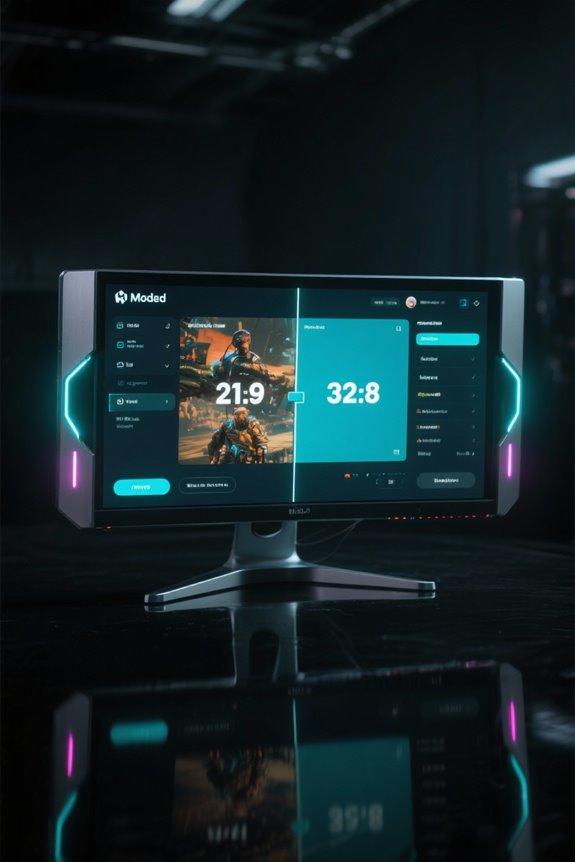
Modders spring into action to bridge the gap where official support for ultrawide gaming falls short. They create mod fixes shortly after game launches, addressing essential gameplay aspects like field of view (FOV) enhancements that greatly improve the ultrawide support experience. Popular titles, including Elden Ring and Street Fighter 6, have benefited from these community-driven solutions, despite limitations imposed by anti-cheat software like Easy Anti-Cheat, which may penalize players using mod fixes. While a thriving community of modders works tirelessly to deliver better gaming experiences, many developers, such as Capcom, view modding as cheating, discouraging the implementation of official ultrawide support. Consequently, the modding community‘s role remains critical in enhancing compatibility for ultrawide displays. Similar to how the GameSir Nexus app enables real-time button mapping customization, modders provide essential tools for optimizing gameplay experiences across different display configurations.
Notable Games With Ultrawide Compatibility
Ultrawide gaming offers players a distinctive advantage, enhancing immersion and gameplay with a wider field of view. Many titles, such as “Cyberpunk 2077” and “Doom Eternal,” feature native ultrawide resolutions, delivering immersive gameplay with expansive FOV. Games designed like “Battlefield V” leverage the 21:9 aspect ratio to amplify visual fidelity, essential during intense firefights. For those utilizing super ultrawide monitors, titles like “Assassin’s Creed Valhalla” and “Division 2” provide seamless 32:9 support, creating an unparalleled immersive experience. While newer releases increasingly adopt ultrawide compatibility, some anticipated games, such as “Elden Ring” and “Street Fighter 6,” lack this support, compelling players to rely on mods for enhancements. This growing trend highlights the continued demand for widely supported ultrawide gaming experiences. The Sceptre 34-inch monitor’s WQHD resolution of 3440 x 1440 represents the sweet spot for ultrawide gaming performance.
The Impact of Anti-Cheat Software on Mod Usage
Maneuvering the landscape of gaming can be challenging, especially when anti-cheat software creates obstacles for mod usage. Popular titles like Elden Ring and Street Fighter 6 often lack official ultrawide support, leading players to turn to mods. However, the presence of strict anti-cheat systems, such as Easy Anti-Cheat, raises concerns about potential bans for utilizing these modifications. Developers like Capcom view modding as a form of cheating, further complicating the situation. Consequently, players may feel compelled to rely on official support, which is frequently absent for ultrawide displays, including both 21:9 and 32:9 aspect ratios. The resulting tension between mod usage and anti-cheat restrictions places players in a difficult position, limiting their gaming experiences on advanced gaming monitors. While some players seek alternatives, 7.1 surround sound technology offers enhanced positional awareness that can partially compensate for display limitations.
The Importance of Developer Support for Ultrawide Displays
How essential is developer support in enhancing the gaming experience for wide displays? The absence of compatibility for popular titles, such as Elden Ring, leaves gamers reliant on modding communities for essential fixes. Some developers, like Capcom, view modding as cheating, which further complicates player access to ultrawide aspect ratios, particularly 21:9 and 32:9. Conversely, developers like Nixxes set a standard, actively supporting these ratios to improve overall gaming experience. The growing demand for ultrawide displays may persuade more studios to prioritize developer support, addressing compatibility concerns head-on. However, current restrictions from anti-cheat software limit mod usage, highlighting the critical need for official backing to transform the ultrawide landscape from niche to necessity for serious gamers. Manufacturers like PowerA have demonstrated strong market reception with their products reaching 4.6 star ratings from thousands of customers, suggesting growing mainstream adoption of specialized gaming hardware.
Future Trends in Ultrawide Gaming Compatibility
What factors are driving the shift towards improved gaming compatibility with wide displays? The increasing demand for immersive gaming experiences has prompted game developers to incorporate ultrawide support for popular aspect ratios like 21:9 and 32:9. Successful adaptations, such as Nixxes’ ports of PlayStation titles, demonstrate the market’s potential for wider formats. Furthermore, modding communities actively create fixes for ultrawide compatibility, placing pressure on developers to officially integrate such features. As graphics card technology advances, enhancing the field of view in games will become more feasible. Similar to how precision-machined holes protect wire insulation in modern tools, proper ultrawide implementation safeguards the gaming experience from visual distortions. With more gamers embracing ultrawide displays, the outlook for future titles is optimistic, suggesting an ongoing commitment to software compatibility with these expansive aspect ratios across various genres.
Choosing the Right Ultrawide Monitor for Your Needs
Choosing the right ultrawide monitor can be an intimidating task, especially given the multitude of specifications and features available. When considering an ultrawide display, the aspect ratio is essential; a 21:9 allows for a balanced multitasking experience, while a 32:9 is designed for extensive professional workloads and immersive gaming. Resolutions such as 3440×1440 for 21:9 or 5120×1440 for 32:9 impact both clarity and software compatibility. Refresh rates are equally important; higher rates like 144Hz enhance responsiveness for competitive gaming. Additionally, panel type—like IPS for color accuracy or VA for deep blacks—affects visual quality. Modern ultrawide displays like the SANSUI 34-inch offer Extreme Low Motion features for seamless gameplay performance. Ultimately, weighing these factors will help users select the best ultrawide screen tailored to their unique needs.
Enhancing Your Gaming Experience With Ultrawide Monitors
Ultrawide monitors are rapidly transforming the gaming experience, offering enhanced dimensions of immersion and responsiveness. With a 21:9 aspect ratio, these displays deliver a cinematic gaming experience, markedly improving situational awareness in compatible titles. For gamers seeking to maximize screen real estate, the 32:9 aspect ratio effectively merges two 16:9 screens, eliminating gaps and facilitating multitasking. While many modern games natively support 21:9 resolutions, 32:9 may require software compatibility tweaks, as not all games are optimized for this expansive setting. Additionally, ultrawide monitors allow players to keep multiple applications visible, reducing window-switching and promoting enhanced productivity. Embracing ultrawide gaming helps developers enrich titles, creating compelling visuals and vast gameplay areas that elevate the immersive gaming experience.
Frequently Asked Questions
Does Netflix Support 21:9 Ratio?
Netflix supports the 21:9 aspect ratio, enhancing user experience with optimized content availability. Approximately 30% of Netflix originals utilize this format, aligning with streaming preferences and maximizing display settings for immersive viewing through aspect ratio benefits.
Do Most Games Support 21:9 Aspect Ratio?
Most games increasingly support the 21:9 aspect ratio, enhancing visual immersion and improving the gaming experience. However, game compatibility varies, influenced by developer support and performance impact, alongside players’ resolution preferences.
What Aspect Ratio Should a 3440X1440 Monitor Be?
A 3440×1440 monitor should ideally be set to a 21:9 aspect ratio, enhancing gaming performance and viewer immersion while offering cinematic experiences and productivity benefits, provided the hardware meets necessary requirements for peak content creation.
Is 32 9 Considered Ultrawide?
Yes, a 32:9 aspect ratio is considered ultrawide. This display technology enhances monitor gaming and provides productivity benefits, catering to user preferences by delivering a more immersive cinematic experience across various video formats.


