


Portable external drives, weighing under 1 pound and sized at 2.5 inches, offer USB-powered convenience and storage options from 500GB to 4TB. They are lightweight, making them ideal for on-the-go backups. In contrast, desktop external drives, utilizing larger 3.5-inch HDDs, require external power and can reach up to 20TB, excelling in performance with higher data transfer speeds. Don’t get me wrong, both serve unique needs. Discover which option best fits your lifestyle with further insights.
Key Takeaways
- Portable drives are lightweight and compact, making them easy to transport, ideal for mobile storage needs.
- Desktop external drives require a power source in addition to USB, limiting mobility compared to portable options.
- Storage capacities for portable drives range from 500GB to 4TB, while desktop drives can reach up to 20TB.
- Portable drives emphasize convenience and quick backups, while desktop drives focus on high performance and extensive data management.
- Portable SSDs offer faster speeds than traditional portable HDDs, while desktop drives excel in consistent performance under heavy data loads.
Understanding Portable Drives
Understanding portable drives is essential for anyone seeking additional storage solutions without the bulkiness of traditional external drives. Measuring typically 2.5 inches in size, portable drives are lightweight, often weighing under a pound, and operate solely through a USB connection, eliminating the need for extra power sources. Their storage capacities range from 500GB to a robust 4TB, making them effective for backup. Portable SSDs have gained popularity for their faster read/write speeds and enhanced durability due to the absence of moving parts. Conversely, HDDs offer no write cycle limitations but are prone to physical damage, requiring careful handling. In addition, data accessibility poses security risks; unencrypted drives can expose sensitive files, underscoring the necessity for diligent data protection. Modern portable drives with USB 3.0 technology support transfer speeds up to 5.0 Gbit/s, significantly enhancing gaming performance and file management efficiency.
Advantages of Portable Hard Drives
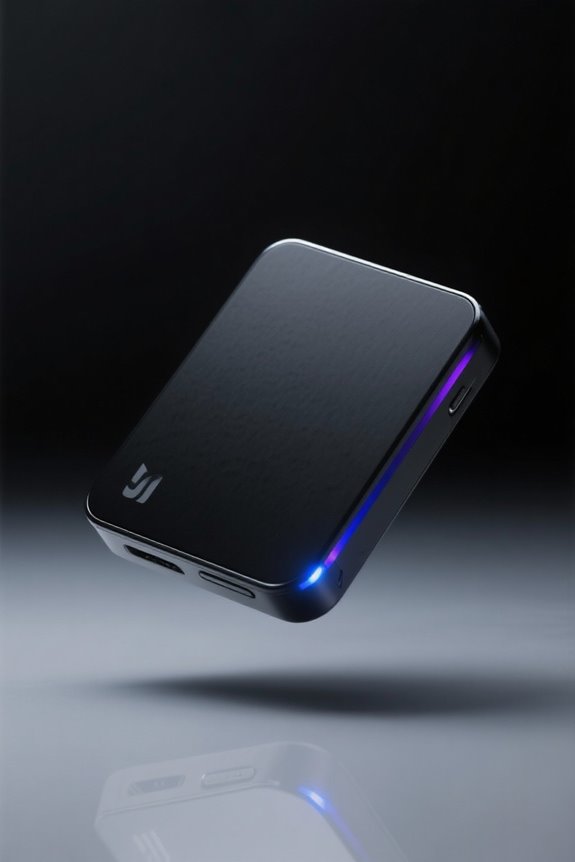
Portable hard drives present a range of advantages that cater to users seeking convenient and reliable storage solutions. Their compact design and lightweight structure—often weighing just under 1 pound—enhance portability for mobile storage needs. Typically powered through USB connections, these drives eliminate the hassle of an external power source, making them easier to use on the go. Many portable hard drives offer substantial storage options, reaching up to 4TB, while remaining affordable. Additionally, portable SSDs exhibit fast read/write speeds, greatly improving data transfer rates and providing resistance to physical damage due to the lack of moving parts. Overall, the seamless integration of portability and performance makes portable hard drives an essential choice for users needing external storage flexibility. Similar to the detachable Type-C cable features found in modern compact keyboards, many portable drives now incorporate versatile connectivity options for enhanced reliability.
Exploring Desktop External Drives

Although desktop external drives are not as travel-friendly as their portable counterparts, they offer remarkable storage solutions tailored for users requiring significant data management and backup capabilities. Typically utilizing larger 3.5-inch hard disks, these drives boast storage capacities reaching up to 20 terabytes (TB). They require an external power source in addition to a USB connection for data transfer, limiting mobility but enhancing durability during stationary use. Most models feature impressive performance with rotational speeds of 7200 RPM, making them efficient for handling larger data loads. To combat potential overheating during extensive data backup sessions, many desktop external drives are equipped with specialized cooling features, ensuring steady performance while maintaining reliability, even during demanding tasks. For content creators seeking optimal streaming performance, these drives can be paired with 4K capture cards to facilitate high-quality video recording and storage.
Advantages of Desktop External Drives

Desktop external drives present a range of advantages that make them particularly appealing for users with substantial data storage needs. With storage capacities reaching up to 20 terabytes (TB), these drives are well-suited for extensive data backups and large media libraries. Utilizing a USB connection, they require an external power source, ensuring consistent power for high-speed data transfer. Moreover, desktop external drives often employ 3.5-inch hard disks, which provide superior performance compared to portable options. Their durability is significant; they tend to endure less wear and tear in stationary environments. Additionally, they offer reliable data access, serving as effective permanent storage solutions and versatile backup options for users who demand high-capacity performance. Don’t get me wrong, it’s a worthwhile investment for data-heavy users. Similar to modern 100W Power Delivery systems found in premium docking stations, desktop drives ensure stable and continuous power supply for optimal performance.
Key Differences Between Portable and External Drives
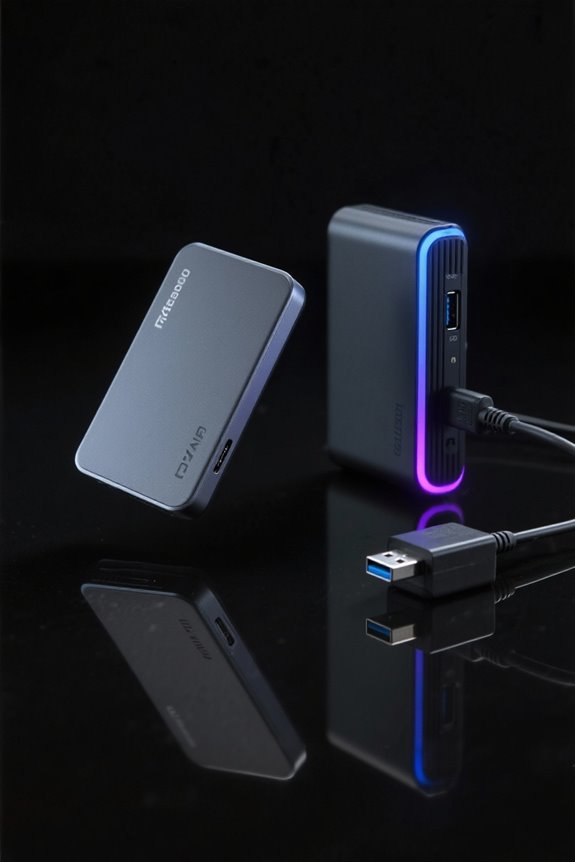
When evaluating external drives, several key differences highlight the distinctions between portable and desktop models. Portable external drives are compact, utilizing 2.5-inch HDDs powered via USB connection, enhancing mobility for easy file transportation. In contrast, desktop drives, typically larger and requiring separate power sources, boast higher storage capacities, often reaching up to 20TB compared to the 4TB maximum of portable drives. While desktop options excel in performance, particularly in data transfer speeds—especially with SSD models—portable drives trade speed for compactness, making them suitable for quick backups on the go. Ultimately, these differences reflect the varied advantages each type of drive offers, catering to specific user needs in performance and convenience. Modern portable drives like the Seagate Game Drive offer USB 3.0 connection speeds up to 5.0 Gbit/s, significantly improving data transfer capabilities for gaming and general use.
Choosing the Right Drive for Your Needs
How does one choose the right external drive to meet specific storage needs? For those focused on portability, portable drives offer up to 4TB of capacity and connect easily via USB, providing convenience for on-the-go data storage and transferring large files. However, users with extensive media libraries may lean towards desktop external drives, which can hold up to 20TB, making them ideal for backups and long-term archiving. If performance is a priority, consider external SSDs, known for their fast read/write speeds compared to traditional HDDs. Budget is also essential; portable drives are often more affordable, while investing in desktop options can yield better value over time. Ultimately, assess needs carefully to make an informed decision. Modern NVMe enclosures like the UGREEN model offer 20Gbps transfer speeds for lightning-fast data movement.
Frequently Asked Questions
What Is the Difference Between Portable and External Drives?
“Different strokes for different folks.” Portable storage is compact and USB-powered, offering convenience and speed. In contrast, external storage provides larger drive capacity and durability, ideal for backups, albeit with slower data transfer rates and higher prices.
What Are the Disadvantages of Portable SSDS?
The disadvantages of portable SSDs include higher cost comparison, limited storage capacity, durability issues, potential heat generation, and firmware updates. Additionally, users may face encryption options, compatibility concerns, and variability in warranty policies affecting usability.
What Are the Two Types of External Hard Drives?
External storage devices are categorized into desktop external drives, offering higher storage capacity and speed for backup solutions, and portable external drives, designed for convenience and mobility at lower capacities, with various price differences and brand options available.
What Are the Disadvantages of Portable External Hard Drive Disc HDD?
Portable external hard drives face durability concerns and capacity constraints, often limited to 4TB. They also have speed performance issues, dependence on USB power sources, and present data security risks due to their mobility and higher theft potential.


